
NFC TripAdvisor Review Cards

Outrank the Competition on TripAdvisor
Boost your TripAdvisor presence with our professionally designed Review Cards. Simply display one at your counter, front desk, or reception area to prompt guests to leave a review while their experience is still fresh.
$15.00 - $35.00
TripAdvisor Review Cards – Get More 5-Star Reviews, instantly!
Enhance your TripAdvisor presence with a professionally printed Review Card designed to remain on display at your venue. These simple yet effective cards make it easy for satisfied guests to leave a review while their experience is still fresh in mind.
Effortless Feedback, Maximum Impact
Place your card at the front desk, reception, counter, or checkout area to encourage instant reviews without needing to say a word.
Popular Uses:
- Hotels & Resorts
- AIRBNBs
- Tour Companies
- Tour & Experience Providers
- Attractions & Venues
How It Works:
- Option 1: Using TripAdvisor’s “Review Express” tool
- Log in to your TripAdvisor Management Center.
- Click on “Reviews” > “Review Express.”
- Locate the “Share Review Link” option.
- Copy the direct URL from there.
Option 2: Manually create your review link
- Visit your TripAdvisor listing.
- Scroll to the “Write a Review” section.
- Copy the URL from your browser — it will look something like:
https://www.tripadvisor.com/ReviewIt?location=XXXXXXX - Test the link in an incognito browser to ensure it works.
- Upload Your TripAdvisor Review URL: Provide us with your TripAdvisor Review link.
- We Encode It: For our basic white cards, your card will be programmed with a tap function for instant access to your unique TripAdvisor listing.
- Simply Tap or Scan and Leave Feedback: Customers just tap their smartphone (no app required!) to reach your business link and post new reviews quickly and easily.
Related products
-
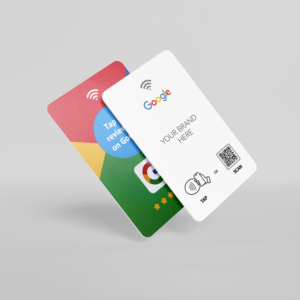
NFC Google Review Cards
$15.00 - $50.00Want to outrank your competition on Google Searches? The secret is simple – Get more positive google reviews with our Google Tap Cards
-
Sale!
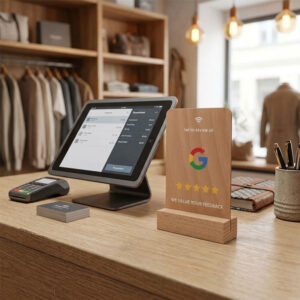
NFC Google Review Wooden Stands
Original price was: $75.00.$45.00Current price is: $45.00. -
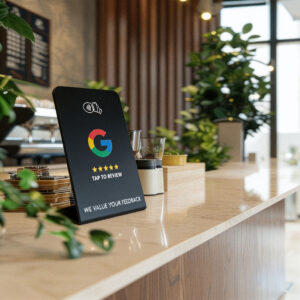
NFC Google Review Stands
$35.00 - $65.00Elevate your business’s visibility with our sleek, black Google Review Stand, designed to seamlessly fit into any professional setting.
-

NFC Google Review Discs
$18.00 - $35.00Perfect for storefronts, checkout counters, or any customer-facing location, our discs are a simple yet effective way to drive customer interaction and build your online reputation.
Frequently asked questions:
Yes, you can provide different URLs for each item in your order, based on the quantity you’re ordering. Just list the URLs in the text field, and if you have any special instructions, please add them in the notes section of your shopping cart before you complete your order.
Customers can leave a review anonymously, however, to leave a review for your business, they do need to have a Google account. The good news is that Google has 1.8 billion active users worldwide! Most smartphone users have a Google account through YouTube, Gmail, or Google Maps.
Our cards are compatible with both iPhones (IOS 13 & above) and Android (Android OS 5.0 & above). Our Custom Printed Google Review Cards also come with a backup QR code which any smartphone can utilise.
Our Google Review Cards are all set up from the moment you receive your order! As soon as you receive it your customers can start tapping to provide reviews.
Once you’ve placed your order for basic black or white cards, we will encode and dispatch them via Australia Post within 1-2 working days. For custom cards, we will email you a design to approve that features your logo and brand colours. Once you have approved the design, your order will be shipped via Australia Post in 1-2 working days.
Reviews